SQL Joins Explained With Diagrams: INNER, LEFT, RIGHT and FULL
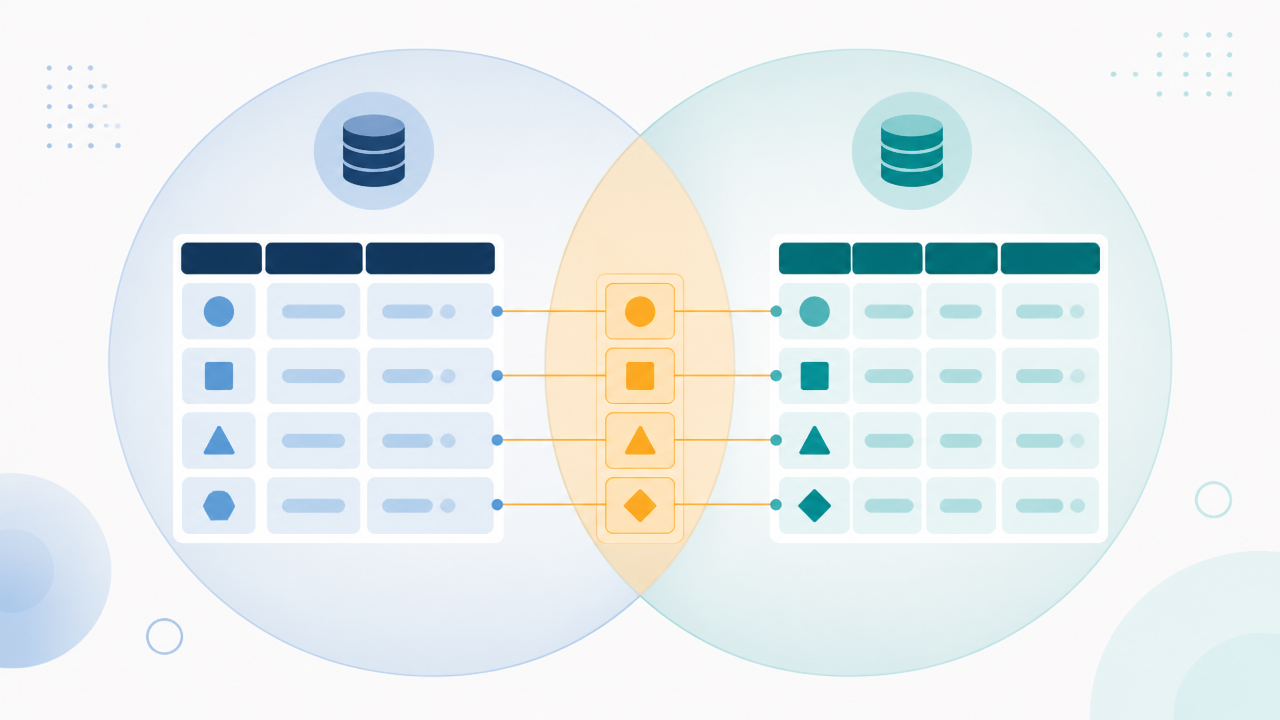
A SQL join combines rows from two tables based on a related column, usually an ID. INNER JOIN keeps only rows that match in both tables. LEFT JOIN keeps every row from the left table and fills in NULLs where there's no match. RIGHT JOIN does the same from the right side. FULL OUTER JOIN keeps every row from both.
Joins are where most SQL interview screens separate candidates, and they cause many of the wrong numbers in real reports. Most tutorials explain them with Venn diagrams, which show which rows survive but not what the output actually looks like. This guide uses one small dataset the whole way through, so you can see the exact result of every join.
The Two Tables
customers
customer_id
name
city
1
An
Hanoi
2
Binh
Ho Chi Minh City
3
Chi
Da Nang
4
Dung
Hue
orders
order_id
customer_id
amount
101
1
50
102
1
30
103
2
120
104
5
40
Notice two things. An has two orders, and order 104 belongs to customer 5, who isn't in the customers table. That could be a guest checkout or a deleted account. Chi and Dung haven't ordered anything. These gaps are exactly where the join types behave differently.
INNER JOIN: Only Matches
SELECT c.name, o.order_id, o.amount
FROM customers c
INNER JOIN orders o
    ON c.customer_id = o.customer_id;
name
order_id
amount
An
101
50
An
102
30
Binh
103
120
3 rows. Chi and Dung disappear because they have no orders. Order 104 disappears because it has no customer. INNER JOIN is the default (plain JOIN means INNER JOIN), and it's the right choice when you only care about records that exist on both sides.
LEFT JOIN: Keep Everything on the Left
SELECT c.name, o.order_id, o.amount
FROM customers c
LEFT JOIN orders o
    ON c.customer_id = o.customer_id;
name
order_id
amount
An
101
50
An
102
30
Binh
103
120
Chi
NULL
NULL
Dung
NULL
NULL
5 rows. Every customer appears. Where there's no matching order, the order columns are NULL. LEFT JOIN is the join analysts use most, because business questions usually start from a main list ("all customers", "all products") and add details that may or may not exist.
RIGHT JOIN: Keep Everything on the Right
SELECT c.name, o.order_id, o.amount
FROM customers c
RIGHT JOIN orders o
    ON c.customer_id = o.customer_id;
name
order_id
amount
An
101
50
An
102
30
Binh
103
120
NULL
104
40
4 rows. Every order appears, including 104 with no customer name. In practice, most people rarely write RIGHT JOIN. They swap the table order and use LEFT JOIN, because queries are easier to read when the "main" table always comes first.
FULL OUTER JOIN: Keep Everything
SELECT c.name, o.order_id, o.amount
FROM customers c
FULL OUTER JOIN orders o
    ON c.customer_id = o.customer_id;
name
order_id
amount
An
101
50
An
102
30
Binh
103
120
Chi
NULL
NULL
Dung
NULL
NULL
NULL
104
40
6 rows. This is useful for reconciliation, for example finding records that exist in one system but not the other. Note that MySQL doesn't support FULL OUTER JOIN. There you combine a LEFT JOIN and a RIGHT JOIN with UNION.
The Anti-Join: "Which Customers Never Ordered?"
This comes up constantly, both in real work and in interviews. Use a LEFT JOIN and keep only the rows where the right side is NULL:
SELECT c.name
FROM customers c
LEFT JOIN orders o
    ON c.customer_id = o.customer_id
WHERE o.order_id IS NULL;
Result: Chi, Dung. Flip the logic and you can find orphaned orders (orders with no customer). That's a quick data-quality check worth running on any new dataset.
The WHERE-Clause Trap
This is the most common join bug in real analyst work. Suppose you want all customers, plus any orders over $40:
-- Looks right, but isn't
SELECT c.name, o.order_id, o.amount
FROM customers c
LEFT JOIN orders o ON c.customer_id = o.customer_id
WHERE o.amount > 40;
This returns 2 rows (An–101, Binh–103). Chi and Dung vanish, because for them o.amount is NULL, and NULL > 40 isn't true. Filtering in WHERE has quietly turned your LEFT JOIN into an INNER JOIN.
The fix is to put the condition in the ON clause:
SELECT c.name, o.order_id, o.amount
FROM customers c
LEFT JOIN orders o
    ON c.customer_id = o.customer_id
   AND o.amount > 40;
This returns 4 rows: An–101, Binh–103, Chi–NULL, Dung–NULL. Every customer is kept, and only orders over $40 are attached.
Rule: with a LEFT JOIN, conditions on the right table belong in ON. Conditions on the left table can go in WHERE.
The Duplicate-Row Trap
Joins multiply rows whenever one side has several matches. An has two orders, so An appears twice after the join. That's correct for order-level analysis, but it breaks customer-level numbers.
Suppose customers also had a credit_limit column and An's limit was $1,000. If you join to orders and then run SUM(credit_limit), An's limit is counted twice. The fix is to aggregate before joining, or to aggregate at the right level:
WITH order_totals AS (
    SELECT customer_id, SUM(amount) AS total_spent, COUNT(*) AS order_count
    FROM orders
    GROUP BY customer_id
)
SELECT c.name, COALESCE(t.total_spent, 0) AS total_spent
FROM customers c
LEFT JOIN order_totals t ON c.customer_id = t.customer_id;
A quick check worth making a habit: count rows before and after every join. If the count grew and you didn't expect it to, you've found a one-to-many relationship you need to handle.
Other Joins Worth Knowing
Self-join: joining a table to itself, for example to match each employee with their manager in the same employees table, or to compare a customer's order with their previous one.
CROSS JOIN: every row paired with every other row. It's rarely used on purpose except to generate combinations, like every store × every date.
Joining on multiple columns:ON a.store_id = b.store_id AND a.date = b.date. It's common with fact tables, and forgetting one of the columns produces a huge number of duplicate rows.
What's the difference between JOIN and INNER JOIN?
There isn't one. JOIN on its own means INNER JOIN in every major database.
Is LEFT JOIN the same as LEFT OUTER JOIN?
Yes. The word OUTER is optional. The same goes for RIGHT OUTER JOIN and FULL OUTER JOIN.
Why does my LEFT JOIN return fewer rows than the left table?
Almost always because a WHERE condition filters on a right-table column, which removes the NULL rows. Move that condition into the ON clause.
Why does my join return more rows than either table?
One or both sides have duplicate keys, a one-to-many or many-to-many relationship. Check for duplicates with GROUP BY key HAVING COUNT(*) > 1 before joining.
Bottom Line
INNER JOIN keeps matches, LEFT JOIN keeps the whole left table, RIGHT JOIN keeps the right, and FULL OUTER keeps everything. Most day-to-day analyst work uses INNER and LEFT, plus the LEFT-JOIN-with-IS-NULL anti-join pattern. Two habits prevent most join bugs: put right-table filters in ON, not WHERE, and compare row counts before and after every join.